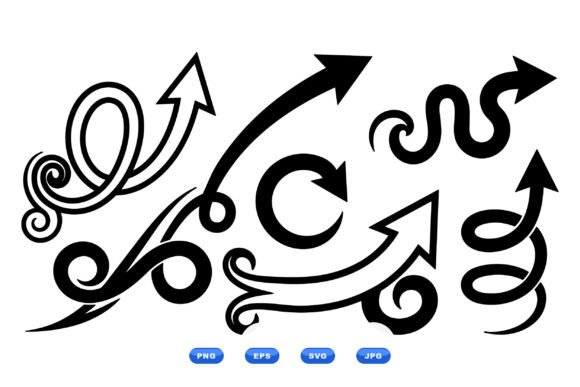
Swirl Arrow Clipart Collection
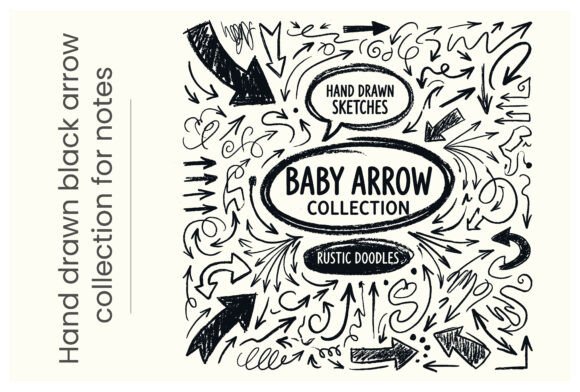
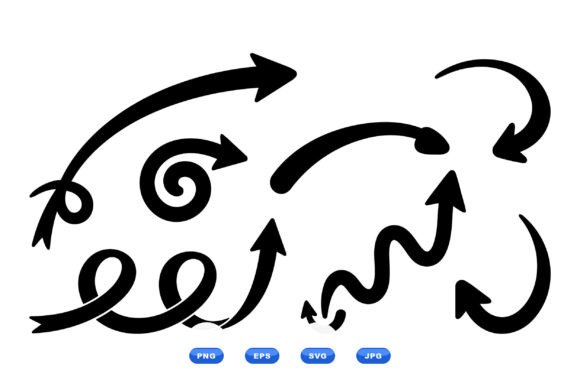
If you’ve ever spent 20 minutes hunting for a clean, scalable arrow motif that conveys motion without clutter—something that works equally well on a business card, an Instagram story, or a classroom poster—you’ll appreciate what the Swirl Arrow Clipart Collection delivers. This isn’t just another pack of generic arrows. It’s a thoughtfully curated set of 100 vector files built around dynamic swirling forms and looping flourishes—all rendered in crisp black flat silhouette style.
What Makes These Swirl Arrows Stand Out
First, the aesthetic: these aren’t jagged, chaotic spirals or over-rendered 3D swirls. They’re balanced, intentional, and grounded in visual rhythm. Each design uses consistent line weight and negative space to maintain clarity at any size—from thumbnail icons to large-format wall graphics. The flat silhouette approach means no gradients, shadows, or textures competing for attention. That simplicity is deliberate—and powerful.
The collection leans into organic flow while preserving precision. Some swirls form tight clockwise loops; others unwind with elegant asymmetry. A few integrate subtle directional cues—like tapered ends or implied momentum—that guide the eye naturally. And because every file is vector-based, scaling is lossless. Whether you’re printing a 4'×8' banner or embedding a tiny icon in a mobile app UI, fidelity stays intact.
Why Format Variety Matters (and How You’ll Use It)
The downloadable ZIP includes SVG, PNG, JPG, and EPS files—and that variety solves real workflow problems. SVG is your go-to for web projects: embed directly in HTML, animate with CSS, or recolor via CSS variables. PNGs deliver transparency for layered designs in Canva, PowerPoint, or Figma—ideal when you need to drop a swirl arrow onto a photo background or gradient. JPGs work reliably in email clients and legacy publishing tools where transparency isn’t supported. EPS remains essential for professional print houses that still require Illustrator-compatible formats for spot-color separation or large-scale offset runs.
You don’t need to be a designer to use this collection effectively. Educators can paste a swirl arrow into a Google Slides lesson to highlight cause-and-effect sequences. Freelancers building client pitch decks can use them as section dividers or timeline accents. Bloggers adding visual interest to step-by-step tutorials get instant polish—no stock photo fatigue, no licensing ambiguity.
Real-World Applications Across Roles
For marketers: Swirl arrows subtly reinforce concepts like growth, iteration, or customer journey progression. Try one beside a “How It Works” diagram—or rotate and layer two to imply cyclical feedback loops in a sustainability report.
For educators and trainers: These motifs help learners visually track non-linear processes—think scientific cycles (water, carbon), historical timelines with recurring themes, or even agile development sprints. Because they’re neutral in tone and culturally unambiguous, they avoid the pitfalls of clipart that feels dated or overly literal.
For small business owners: Incorporate a single swirl into a logo lockup (especially for wellness, coaching, or creative services) to suggest forward movement without aggression. Or use them as decorative borders on invoices, social media banners, or packaging inserts—adding cohesion without overwhelming the message.
For publishers and content creators: When designing infographics about data flow, user pathways, or system integration, a well-placed swirl arrow adds hierarchy and narrative direction. Unlike standard right-pointing arrows, these invite interpretation—they feel less prescriptive, more exploratory.
Design Integrity Meets Practical Flexibility
One underrated strength of the Swirl Arrow Clipart Collection is its restraint. There are no gratuitous embellishments—no unnecessary filigree, no forced symmetry, no visual noise. That restraint translates directly into versatility. You can invert a swirl arrow and use it as a container shape for text. You can break apart vector paths in Illustrator and repurpose individual curves as custom bullet points or section markers. You can overlay two swirls at different opacities to create depth without adding complexity.
It’s also worth noting: all 100 files are original, commercially licensed, and royalty-free for both personal and client work—including SaaS dashboards, e-commerce product pages, and printed marketing collateral. No attribution required. No hidden restrictions on usage volume or geographic reach.
Things to Keep in Mind Before You Download
While the collection excels in flexibility, it’s not meant to replace custom illustration for highly branded campaigns. If your brand relies on bespoke iconography with strict color palettes or tonal nuance, treat these as strong starting points—not final assets. You’ll likely want to adjust stroke weights or proportions to match existing UI elements or typography hierarchy.
Also, consider context before overusing. Swirl motifs carry subconscious associations with continuity and transformation—but too many in one layout can dilute impact or confuse hierarchy. As a rule of thumb: use one dominant swirl arrow per visual unit (e.g., one per slide, one per infographic panel, one per landing page section). Let it breathe.
If you're evaluating similar collections elsewhere, check whether files include editable layers or grouped elements. In this set, each vector is cleanly constructed—paths are unified where appropriate, anchor points are optimized, and naming conventions (in SVG/ES6 exports) make batch editing feasible. That saves hours when adapting dozens of assets for a multi-channel campaign.
A Tool That Grows With Your Work
The Swirl Arrow Clipart Collection doesn’t shout. It supports. It guides. It connects ideas without demanding attention. That’s rare in today’s saturated asset market—where so much clipart prioritizes novelty over utility. Here, function and form align quietly but consistently.
Whether you’re sketching wireframes, assembling a workshop handout, refining a brand guideline doc, or spicing up a newsletter header, these swirl arrows offer immediate lift—without requiring new software, new skills, or new approvals. They slot in. They scale. They stay legible. And because they’re rooted in timeless compositional principles—not fleeting trends—they won’t look out of place six months or six years from now.
That kind of longevity matters. Especially when you’re building assets meant to last: course materials, evergreen content, brand systems, or client deliverables you’ll reference again and again. With 100 distinct variations, you’re not just getting arrows—you’re getting vocabulary. A visual language for motion, connection, and progression, ready when you need it.