10 Essential Vector Arrows SVG AI PNG: A Practical Guide for Designers and Content Creators
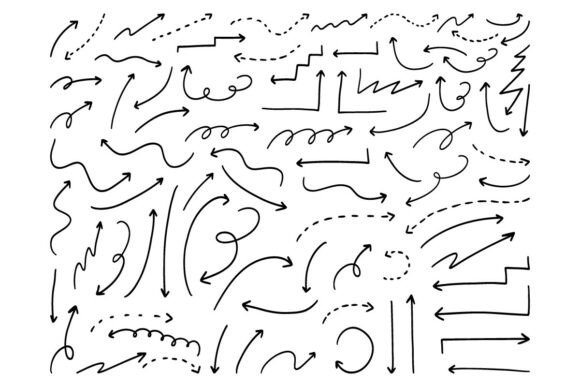
When building infographics, refining social media visuals, or organizing digital or print-based planners, arrows do more than point—they guide attention, imply direction, clarify hierarchy, and reinforce narrative flow. The 10 Essential Vector Arrows SVG AI PNG is a curated set of hand-drawn vector arrows designed to serve precisely that functional and aesthetic role. Unlike generic arrow libraries or auto-generated icons, this collection emphasizes organic line quality, intentional imperfection, and consistent stylistic cohesion—making it especially useful when visual authenticity matters.
What Sets These Arrows Apart?
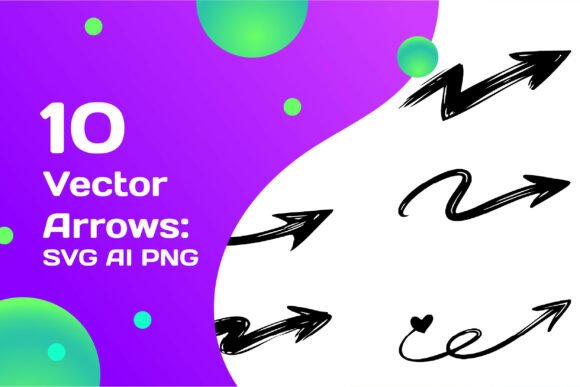
The 10 Essential Vector Arrows SVG AI PNG stands out not because it offers the most arrows, but because it delivers a focused, purpose-built selection. Each of the ten arrows was drawn by hand—not traced, not algorithmically smoothed—then converted into fully scalable vector formats. That means no pixelation at any size, whether you’re placing one on a mobile story thumbnail or scaling it across a 48-inch trade show banner.
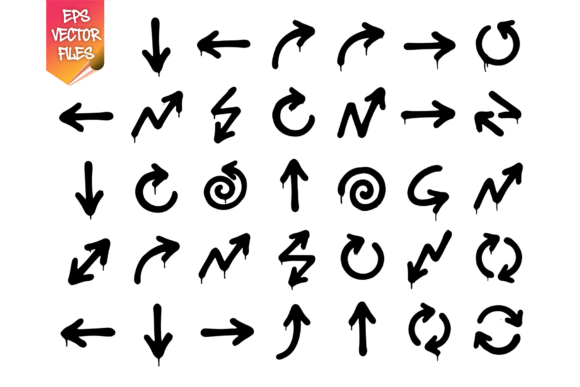
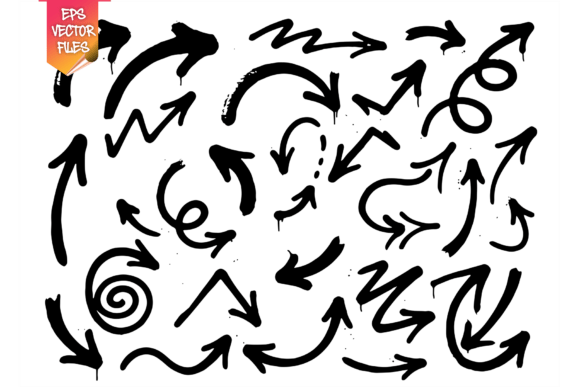
The set includes directional variants: curved, diagonal, looping, branching, double-headed, and tapered styles—each with subtle variation in weight, taper, and endpoint character. This diversity supports nuanced communication: a gentle arc may suggest progression; a sharp zigzag might indicate contrast or interruption; a split arrow can denote divergence or choice. Because they’re hand-drawn, they avoid the mechanical uniformity common in stock icon sets—giving presentations and layouts a warmer, more human feel.
Format Flexibility Without Compromise
One practical strength of the 10 Essential Vector Arrows SVG AI PNG is its multi-format delivery: SVG, AI (Adobe Illustrator), EPS, JPG, and PNG. That’s not just convenience—it reflects real-world workflow needs. SVG files embed cleanly in web pages and support CSS color overrides. AI and EPS files retain full vector editability in professional design software, allowing users to adjust anchor points, stroke profiles, or grouping structures. JPG and PNG versions offer immediate use in tools without vector support—like Canva, PowerPoint, or basic photo editors—though at fixed resolution.
This format range avoids forcing users into a single ecosystem. You don’t need Illustrator to benefit from the set—but if you have it, you gain precision control. Likewise, non-designers can drop PNGs into social posts or blog graphics without learning new software. That balance between accessibility and professional utility is uncommon among similarly priced assets.
How It Compares to Other Arrow Resources
Many designers start with free icon libraries or built-in shape tools. While those options are fast and cost-free, they often lack stylistic continuity—especially across multiple arrow types. A straight arrow from one source may visually clash with a curved one from another, disrupting layout harmony. The 10 Essential Vector Arrows SVG AI PNG solves that by offering a unified visual language: same stroke rhythm, similar cap treatment, consistent texture density.
Compared to broad vector packs (e.g., “5,000 Icons Bundle”), this set trades volume for intentionality. You won’t find 37 variations of the same right-pointing arrow—but you will find ten distinct, carefully differentiated forms, each serving a specific communicative function. That makes evaluation faster and implementation more deliberate.
It also differs from generative tools (like AI-powered icon makers or parametric arrow generators) in predictability and reliability. Those tools can produce interesting results—but often require iteration, cleanup, or reformatting before use. With the 10 Essential Vector Arrows SVG AI PNG, what you see is production-ready: clean paths, properly aligned anchors, consistent naming, and no hidden layers or stray points.
Where These Arrows Shine—and Where They Don’t
The 10 Essential Vector Arrows SVG AI PNG excels in contexts where clarity, tone, and cohesion matter more than sheer variety. For example:
- Infographics: Use the tapered arrow to highlight a data trend, or the looping arrow to illustrate a feedback cycle—without breaking visual rhythm.
- Social media carousels: Layer a softly curved arrow over a product photo to draw the eye toward a key feature—its hand-drawn texture adds warmth missing from stock vectors.
- Digital planners and Notion templates: Insert a branching arrow beside a goal to show subtasks—its organic line weight feels intentional, not templated.
- Printed workshop materials: Scale the double-headed arrow to 12 inches wide for a facilitation poster—no loss of fidelity.
That said, it’s not ideal for every scenario. If you need arrows with technical precision—like engineering schematics requiring exact angles or ISO-standard symbols—this set’s expressive style may be too loose. Similarly, if your project demands dozens of culturally specific arrow metaphors (e.g., ceremonial, directional, or symbolic forms beyond Western conventions), a broader or more specialized library would be more appropriate.
Editing, Customization, and Workflow Fit
A key advantage is how easily these arrows adapt to existing color systems. Since they’re built as vector strokes—not flat shapes—you can recolor them in seconds using global swatches in Illustrator or inline fill attributes in SVG. No need to ungroup or trace. The hand-drawn texture remains intact regardless of hue, saturation, or opacity changes.
That flexibility supports both brand-aligned work (e.g., matching a company’s secondary palette) and experimental layouts (e.g., duotone overlays or gradient strokes). It also means you’re not locked into pre-set colors—a notable difference from many PNG-only arrow bundles where editing requires raster manipulation and risks blurring or banding.
For teams using collaborative tools like Figma, the SVG files import cleanly and remain editable as vector layers. While Figma doesn’t natively open AI files, the SVG export preserves all essential geometry and styling—so cross-platform consistency stays high without sacrificing fidelity.
Making the Right Choice for Your Needs
Deciding whether the 10 Essential Vector Arrows SVG AI PNG fits your project depends less on budget and more on alignment with three factors: visual intent, technical requirements, and workflow context.
If your goal is to add expressive, cohesive directionality—without spending hours sourcing, cleaning, or unifying disparate assets—this set reduces friction meaningfully. It’s especially valuable when time is constrained but quality expectations remain high: think last-minute client revisions, tight editorial deadlines, or iterative content testing.
Conversely, if your work leans heavily into geometric minimalism, strict UI consistency, or automated design systems, you may find better long-term value in parametric tools or custom-built arrow components. And if you only need one or two arrows per year, free alternatives or native shape tools may suffice—though you’ll likely spend more time adjusting stroke profiles or exporting formats correctly.
Ultimately, the 10 Essential Vector Arrows SVG AI PNG isn’t about replacing all other arrow resources. It’s about having a reliable, stylistically grounded option ready when expressive guidance—not just functional pointing—is part of the message.
Final Considerations Before You Choose
Before adding any arrow resource to your toolkit, ask: Will this support the tone I’m aiming for? Does it integrate smoothly into my current file-handling habits? Can I adjust it without introducing inconsistency? The 10 Essential Vector Arrows SVG AI PNG answers “yes” to all three—if your work values craft, clarity, and quiet confidence over flash or quantity. It’s a modest tool, deliberately shaped—not to dominate a layout, but to help it breathe, direct, and connect.